
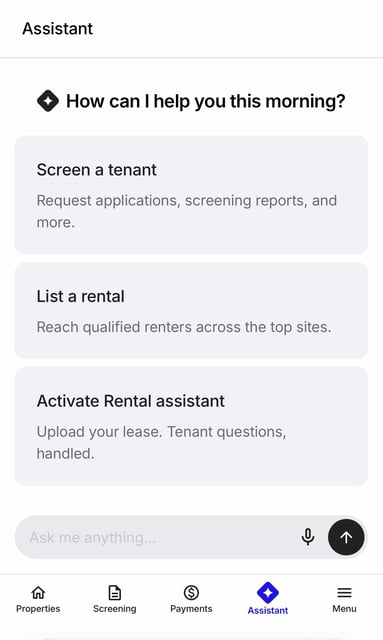
The Assistant is an AI chat built into your RentSpree dashboard. Tell it what you need in your own words, and it helps you screen a tenant, list a rental, or find an answer without searching through menus.
It's available to every landlord and agent. Select Assistant in your dashboard menu to open it. On a phone, it's in the menu at the bottom of the screen.
Getting started
When you open the Assistant, you'll see 3 shortcuts: Screen a tenant, List a rental, and Activate Rental assistant. Select one, or type your request in the Ask me anything box. You can also tap the microphone to speak your request.
Screen a tenant
Share the property's address and the Assistant creates your application link, ready to share with applicants. Screen a tenant with the Assistant.
List a rental
Enter the property's address and the Assistant creates a listing draft for you to finish and publish. List a rental with the Assistant.
Turn on Rental assistant
Upload your lease and Rental assistant answers your tenant's questions about it, and helps with maintenance requests. Learn who can use Rental assistant and how to turn it on.
Get help
Ask questions about using RentSpree, or reach our support team for anything the Assistant can't handle. Get help from the Assistant.