
Forgot your password? Reset it from the login page. Already signed in? Change it from Settings. Both take about a minute.
How to reset a forgotten password
Select Log In at rentspree.com and enter your email address.
Select Forgot password?, confirm your email, and select Continue.
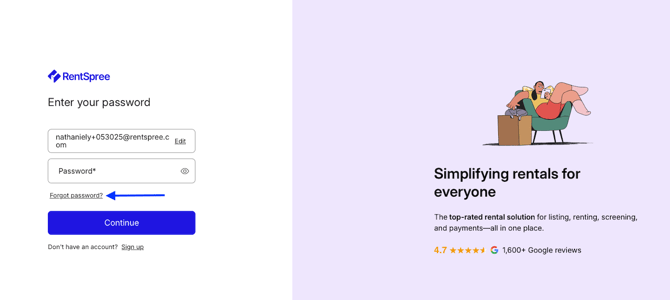
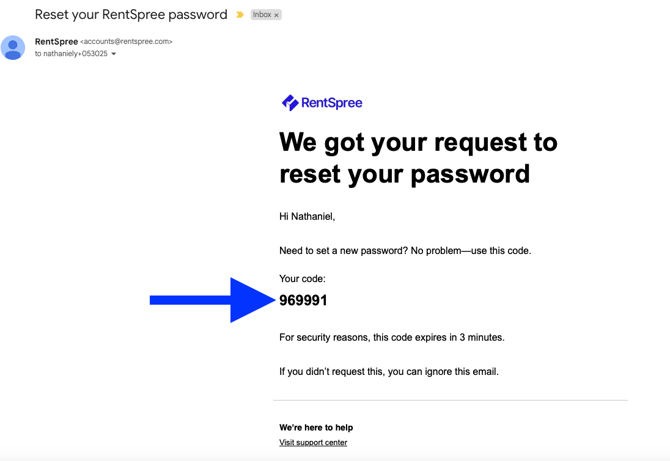
Copy the 6-digit code from the email titled Reset your RentSpree password and enter it on the login page.
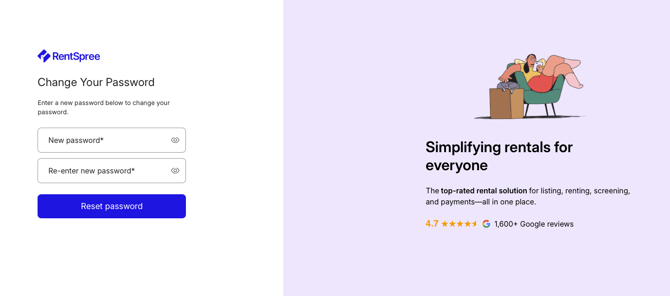
Enter your new password (select the eye icon to double-check it), then select Back to login to sign in.
How to change your password while signed in
Select the menu in the top right corner, then Settings.
Select the Login & Security tab.
In the Password section, select Update. RentSpree emails you a link.
Select Change password in that email and enter your new password.
Related articles: