
Skip to content
  • There are no suggestions because the search field is empty.

Verifying your identity and getting your Listing approved

What to expect after you publish and why it keeps you and your renters safe.

Before your listing goes live on RentSpree and partner sites like Zillow and Redfin, there are two quick steps that happen behind the scenes: identity verification and a Trust & Safety review. Neither of these should slow you down much, and both exist for a good reason: to make sure every listing on RentSpree is legitimate, and that renters can trust what they're seeing.

Here's exactly what happens and what to expect.

Step 1: Verify your identity (one time only)

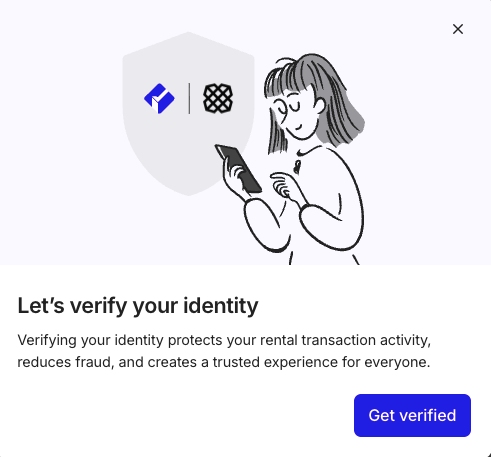
The first time you create a listing (or view a tenant's application package) RentSpree will ask you to verify your identity. This is handled securely through Plaid, a trusted identity verification service used across the financial and real estate industry.

You'll need:

  • Your full legal name
  • Your phone number that can receive a text message code
  • Your Date of Birth

That's usually it. The process takes just a minute and only happens once. You'll receive a text message with a specific verification code to enter on RentSpree.  If Plaid matches your identity, you can confirm and continue.  If not, you'll be asked to provide the last 4 digits of your SSN and confirm your information to proceed.  Once your identity is verified at the account level, you won't be asked again for future listings or applications.
Screenshot 2026-04-16 at 5.02.27 PM

Step 2: Trust & Safety review

Every listing on RentSpree — whether it's new or has been edited — goes through a review by RentSpree's Trust & Safety team before it's published. This review typically takes 24–48 hours.

During the review, the team confirms that you have a genuine relationship to the property you're listing and that you're actually the landlord or owner, not someone fraudulently listing a home they don't own. This protects both you and potential renters.

What speeds up the review? Making sure your identity is fully verified and that your property details are accurate and complete gives the Trust & Safety team everything they need to approve your listing quickly. Incomplete or inconsistent information is the most common reason reviews take longer.

If your listing isn't initially approved

In most cases, listings are approved within 24–48 hours with no action needed from you. However, if the Trust & Safety team isn't able to confirm your relationship to the property from the information on file, you'll receive an email with a link to a short form.

That form will ask you to upload one of the following:

  • Your mortgage statement for the property
  • Your property deed

Once you submit one of these documents, the team will complete their review and your listing will be published. Your listing will not go live until this step is completed, so it's worth checking your email and responding promptly if you receive that message.

Check your spam folder. The review email sometimes ends up in spam or junk, especially if it's your first time using RentSpree. If your listing hasn't gone live after 48 hours and you haven't received any communication, check there first before reaching out to support.

Does this happen every time?

Identity verification is a one-time process at the account level so you won't be asked to do it again once it's complete.

The Trust & Safety review happens for every new listing and every time an existing listing is edited. It's a normal part of the process and in most cases requires nothing from you; your listing will simply go live once the review is complete.

Keeping your listing active

Once your listing is live, it will remain active for 45 days. After that, RentSpree automatically sets it to inactive to keep listings on the platform fresh and accurate for renters.

When your listing is about to expire, RentSpree will send you an email with instructions on how to update and reactivate it. Reactivating your listing follows the same process as a new listing so it goes back through the Trust & Safety review before going live again.

Still looking for a tenant after 45 days? That's completely normal as finding the right person takes time. When you get the reactivation email, use it as an opportunity to refresh your listing. Update your photos, tweak your description, or adjust your rent amount if needed. A refreshed listing often attracts a new wave of interest.