
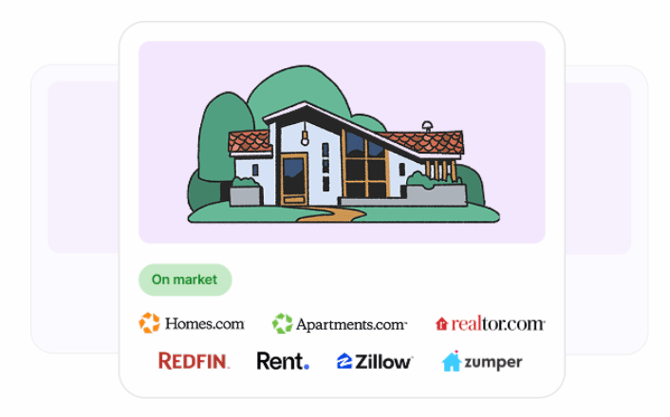
After your listing passes the Trust & Safety review, RentSpree shares it automatically with five major rental sites: Zillow, Redfin, Apartments.com, Zumper, and realtor.com. This automatic sharing is called syndication. Each partner also displays listings across its own network, so your listing can appear on more than a dozen rental sites in total. One listing, no separate accounts, nothing extra to manage.
Choosing which sites get your listing
All five are on by default. To limit where your listing appears, go to Settings > Listing distribution, turn off any sites you don’t want, and select Save changes.
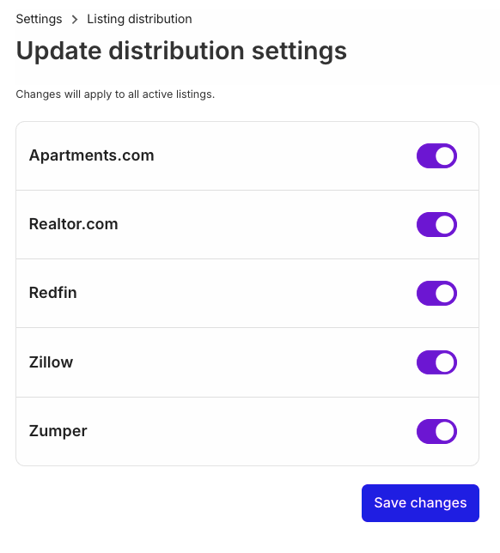
Distribution settings apply to every listing on your account, not just one. Property-specific distribution isn’t available.
The full list of partner sites
Each of the five partners distributes listings to other sites in its network. Through those networks, your listing can appear on Zillow, Trulia, HotPads, Redfin, Rent., ApartmentGuide, Apartments.com, Homes.com, ForRent.com, ApartmentFinder, ApartmentHomeLiving, Apartamentos.com, Appartements.ca, Westside Rentals, Zumper, PadMapper, and realtor.com.
Your distribution settings control the five main partners. Turning a partner off also removes your listing from the other sites in that partner’s network. Each partner decides which of its network sites display your listing, and networks change from time to time, so your listing may not show on every site above.
How long it takes
Your listing typically appears on partner sites within 8 hours of approval. Each platform processes on its own schedule, so it may show up on some sites before others.
Your RentSpree listing link
Your listing also lives on its own RentSpree page with a shareable link. Renters can apply right from that page.
Where applications go
Wherever a renter finds your listing, every application lands in the Applications tab of your property in RentSpree. There’s nothing to check on the partner sites.
Found your tenant? Deactivate your listing from the Listing tab so it comes off partner sites. Edit or reactivate your listing covers the details.