
You can send the California Association of Realtors (C.A.R.) rental application to applicants from RentSpree once your C.A.R. membership is validated.
How your membership is validated
Your membership is verified automatically when you sign in through single sign-on (SSO), so there’s nothing to enter. If you’re prompted, select Verify C.A.R. membership and log in to your C.A.R. account once to confirm.
-4.png?width=500&height=206&name=image%20(4)-4.png)
Note: If your account is linked through your MLS with SSO, adding RentSpree directly to your MLS listing includes the C.A.R. rental application automatically. You don’t need to add it by hand.
How to request the C.A.R. application
-
From the left menu, select Screening, then Screen Tenants. The first time, agree to the TransUnion agreement and enter your home address. If your address is in California, you’ll have the option to connect your C.A.R. account.
-
Choose an existing California listing or add a new one. The C.A.R. rental application requires a California property address.
-
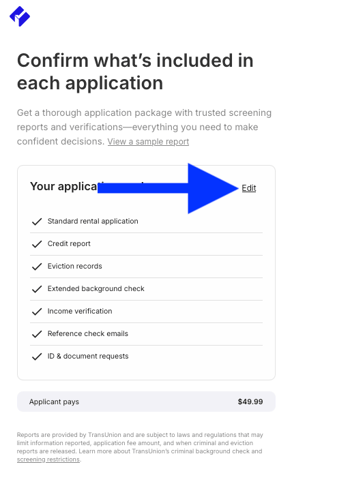
On the Confirm what’s included in each application page, select Edit.
-
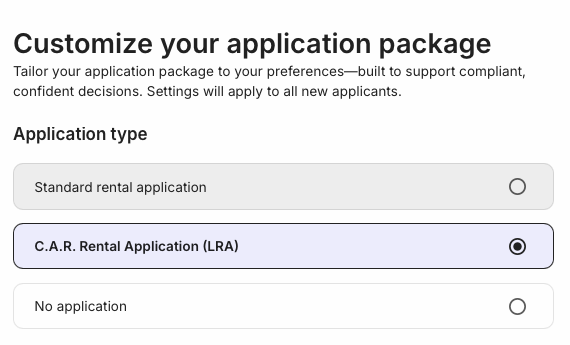
Under Application type, select C.A.R. Rental Application (LRA). If you signed up directly and haven’t validated yet, the validation popup appears here.
-
Add any other screening options, select Next, and enter your DRE license number when asked.
-
Send the request by email or text, share the application link, or print application flyers.