
You can cancel RentSpree PRO anytime from your dashboard. Once you cancel, you won’t be charged again, and your benefits run until your current billing period ends.
How to cancel
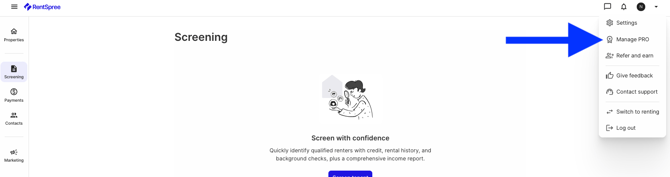
Select the menu arrow in the top right of your dashboard, then Manage PRO.
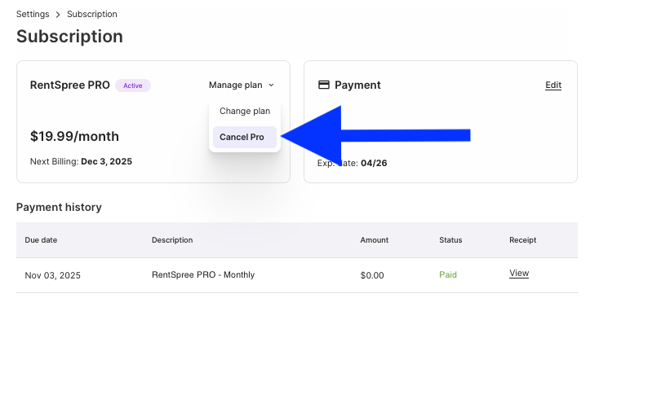
Select Cancel Pro.
Refunds after canceling
You won’t be refunded for the time between canceling and the official end of your membership. Still being charged after cancellation? Contact RentSpree support.
Changed your mind? Reactivate RentSpree PRO anytime.