
As you add properties to RentSpree, you’ll work in two places. Each property has its own dashboard with tabs for managing that property specifically. When you want the full picture (all your applications, payments, and contacts at once), use the portfolio-level navigation in the left sidebar. It covers everything across all your properties.
Property-level vs. portfolio-level
Property-level tabs appear when you're inside a specific property. They cover everything for that one address:
- Overview: property status and next best actions
- Applications: screening requests and applicant results
- Listing: your active listing and syndication
- Lease: e-signature setup and lease status
- Payments: payment requests and transaction history for that property

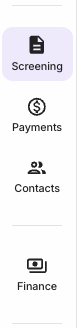
Portfolio-level navigation lives in the left sidebar and covers all your properties at once:
- Screening: all screening requests and applicant results across every property
- Payments: all payment requests and transactions across every property
- Contacts: every applicant, tenant, and lead you've interacted with across all properties
- Finance: income, expenses, and account management across your full portfolio
The Finance tab
The Finance section of the portfolio nav has five items. Here's what each covers and what's required to access it:
- Accounts: where you set up and manage your RentSpree Banking banking account. Available on all plans.
- Transactions: a full history of all payments across every property, with filtering by property, tenant, date, and status. Available on all plans.
- Performance: income and expense tracking with rental performance insights across your portfolio. Requires Landlord PRO or RentSpree PRO.
- Reports: downloadable financial reports for your rental properties. Requires Landlord PRO or RentSpree PRO.
- Taxes: year-end tax document management. Currently in development.
Performance and Reports require Landlord PRO.