How to add your first property
Your rental journey starts here. Adding your property takes less than a minute.
Adding your property to RentSpree is the first real step in your landlord journey, and it's quick. Once your property is in the system, everything else (your listing, applications, lease, and payments) lives right alongside it in one organized place.
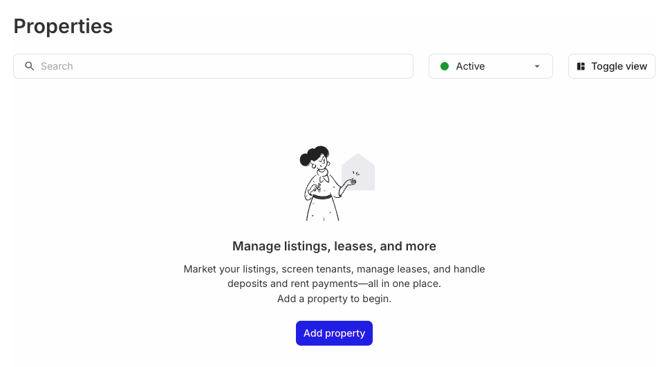
Step 1: Go to your Properties dashboard
When you log in to RentSpree, navigate to your Properties dashboard. This is your home base where all your rental properties will live.
Click Add property to get started.

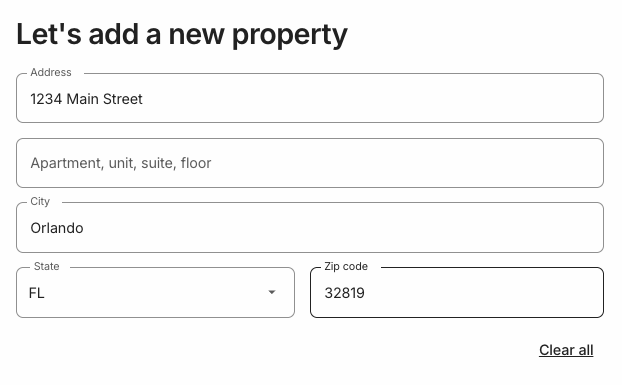
Step 2: Enter your property address
Type in your property's address and select it from the suggestions that appear. RentSpree uses address lookup to make sure the details are accurate, so you don't have to type everything out manually.

Step 3: Confirm your property address is correct
That's it, your property is added!
Once saved, your property will appear on your Properties dashboard with a Vacant status. That just means no tenant is assigned to it yet — which makes sense, since you're just getting started.
First time renting out a property? Before you start finding tenants, take a moment to make sure your property is genuinely ready to rent — working appliances, clean and safe conditions, and any required local inspections completed. A well-prepared property attracts better applicants and sets the right tone from the start.
Up next, let's explore the Properties dashboard in more detail.
Understanding your Properties dashboard