
Landlords can automate the collection of late fees when setting up a rental payment schedule. This feature is available to all users. Agents or landlords can include a late fee when creating new rental payment requests.
Please note that this feature only applies to new payment requests. If a tenant already has a payment set up, you'll need to end the current request and create a new one using the steps below.
Steps to Set Up a New Payment Request with a Late Fee:
-
Log into the RentSpree Dashboard.
-
On the left-hand side, click Payments & select Collect Payments
-
You will be prompted to select who is receiving the payment - Me or My Client.
-
Next, choose the appropriate property and tenant.
-
On the following page, click Add Payment to build one-time or recurring payment requests and edit payment details such as:
-
Payment frequency
-
Amount
-
Duration
-
Any notes you'd like to include
- Late Fee - This is a toggle switch that must be turned on to activate the feature.
-
-
Once enabled, you'll need to:
-
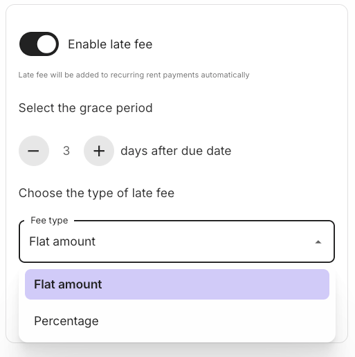
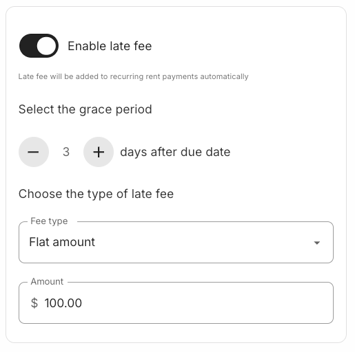
Enter a grace period (number of days before the late fee is applied)
-
Choose a fee type: either a flat amount or a percentage of the rent
-
Enter the late fee Amount - this cannot exceed 10% of the original payment
-
-
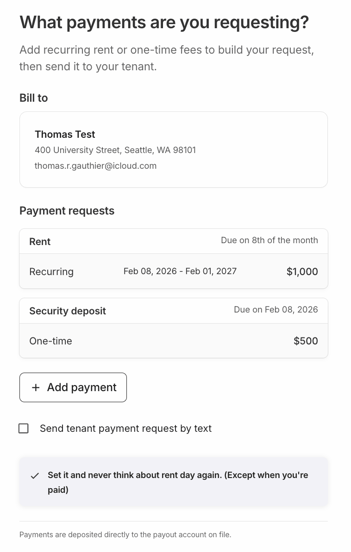
After all required information is entered, proceed to the next page to review the payment overview before sending the request to the tenant.
What Happens If a Tenant Pays Late?
If a tenant misses the grace period and makes a payment after the due date, the late fee will automatically be added to the total amount due at checkout. The fee will appear as a separate line item titled Late Fee.