
If a recipient hasn’t signed your lease, or the email never reached them, send a reminder from the lease itself. Reminders only go to recipients who haven’t signed yet.
How to send a reminder
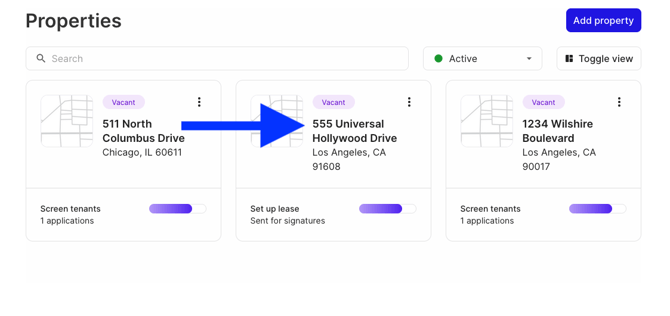
Select the Properties tab, then the property the lease belongs to.
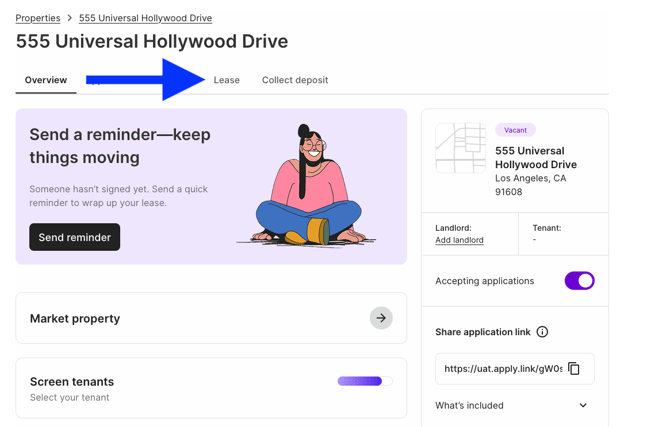
Select the Lease tab.
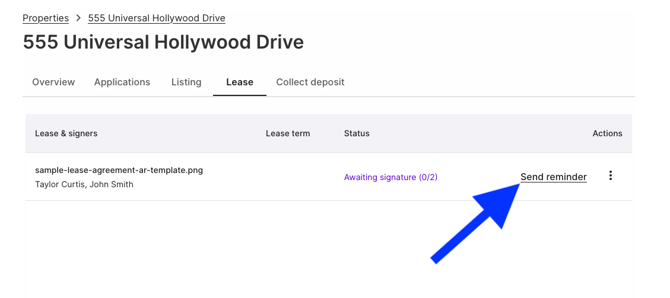
Find the lease and select Send Reminder.
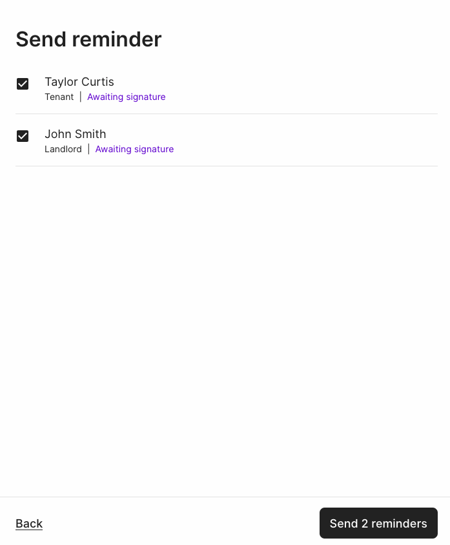
Choose the recipients and select Send reminders.
Related articles: